
Give LivePortrait one still portrait and a short video of a real face, and the portrait moves like that face: it blinks, smiles, talks and turns its head. It comes from Kuaishou Technology, and its README says it has become a portrait-animation solution for humans, cats and dogs adopted by major video platforms: Kuaishou, Douyin, Jianying and WeChat Channels. The code is free and open; the paper is on arXiv.
The showcase at the top of the LivePortrait README: three classic paintings that glance, smile and talk.
How it works
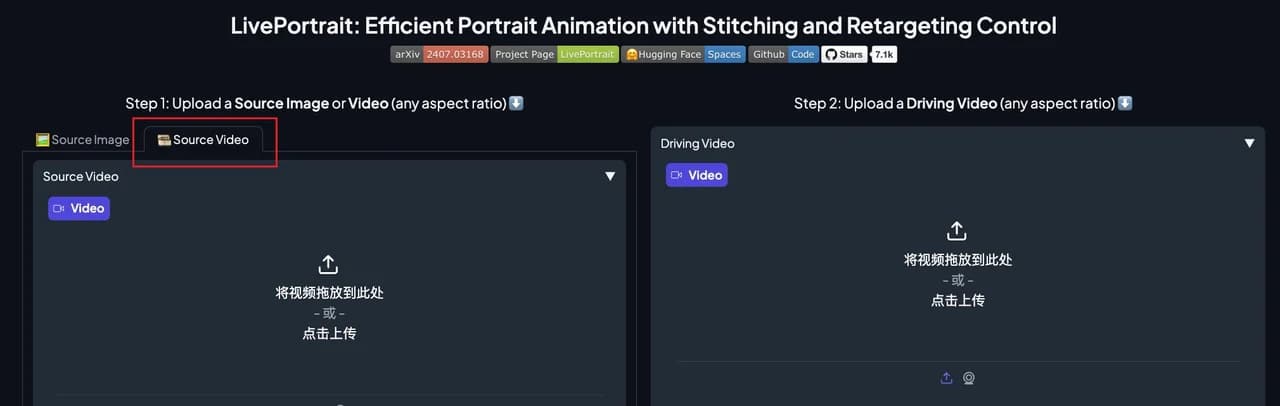
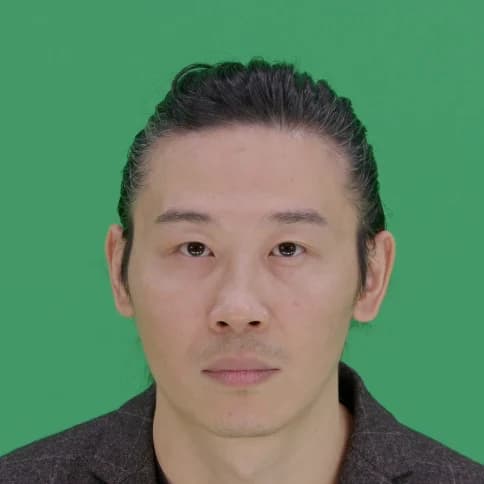
You give it two things. The source is the portrait you want to animate: an image, or a video. No portrait yet? Make one in ReelMe Image. The driving video is a clip of a real face. LivePortrait reads the motion of the driving face and applies it to the source, so the result keeps the source's look and takes on the driver's expressions and head moves.
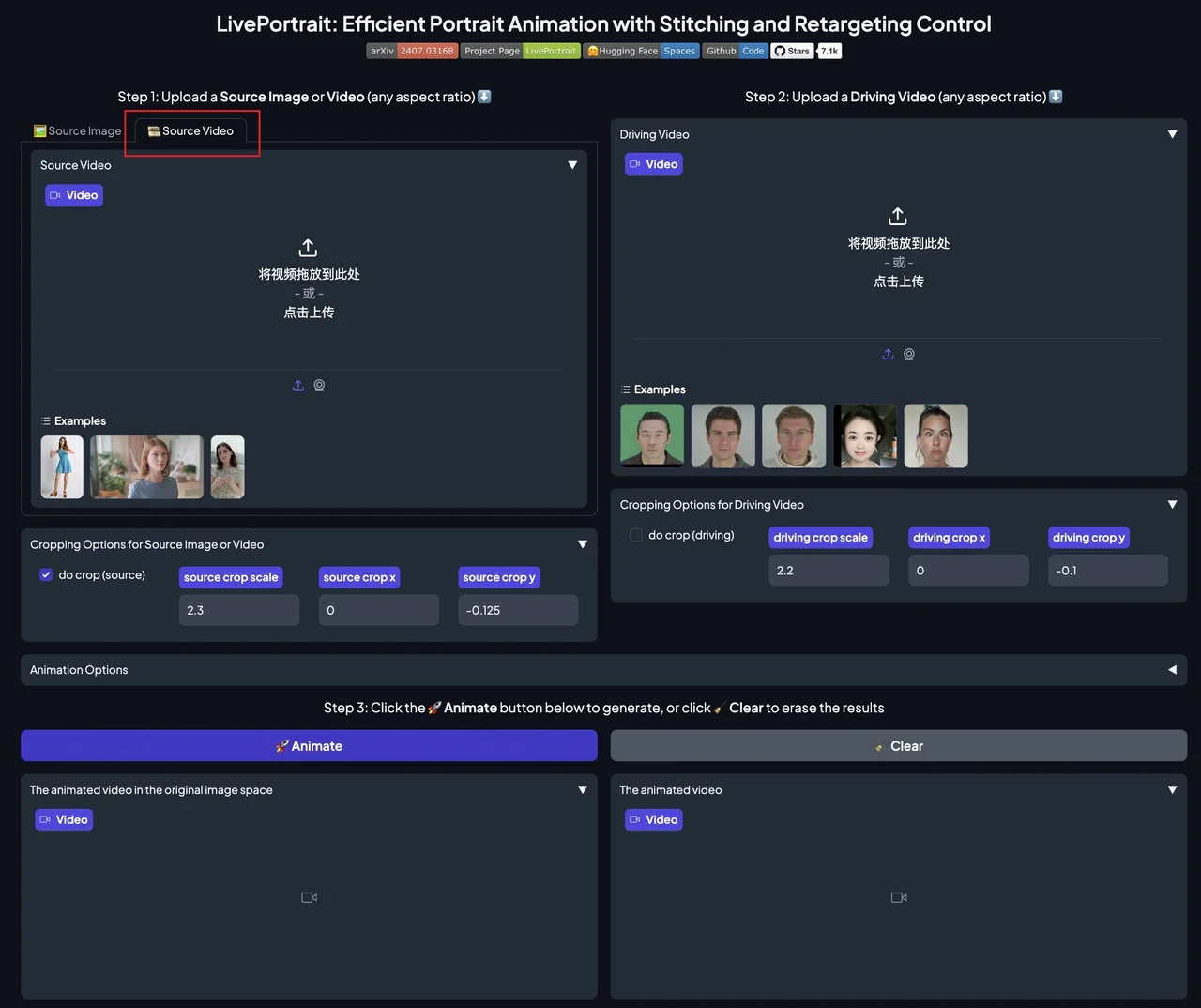
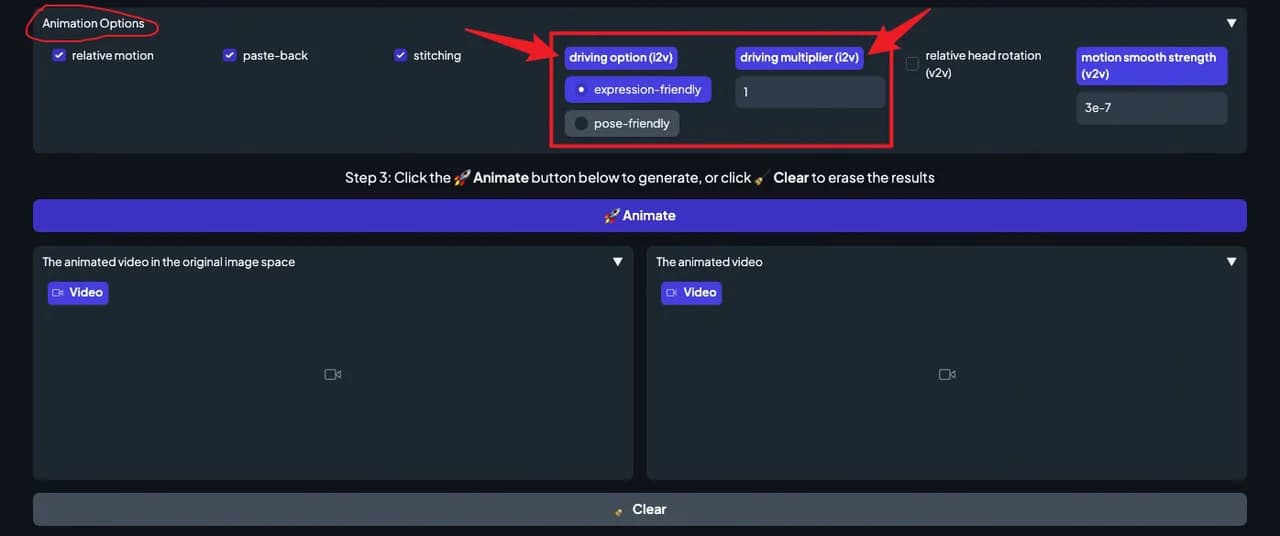
The LivePortrait app (python app.py): source image or video on the left, driving video on the right, then Animate.
| What | From the README and docs |
|---|---|
| Input | A source image or video, plus a driving video, a driving image, or a saved .pkl motion template |
| Faces | Humans mode, and an Animals mode trained on about 230K frames of animals, mostly cats and dogs |
| Speed | RTX 4090 with torch.compile: 7.59 ms per frame for the generator, the largest module. In the app, --flag_do_torch_compile makes later runs 20-30% faster, but it is not supported on Windows and macOS |
| Runs on | Linux and Windows with an NVIDIA GPU; macOS with Apple Silicon for Humans mode, maybe 20x slower than an RTX 4090 |
| No install | An online demo on HuggingFace and a Windows one-click installer |
One face moves any portrait
These clips come from the LivePortrait project page. In each one, a single driving video moves every picture in the frame at once: oil paintings, statues, photos, 3D characters and pets.
Paintings start to talk
| A seated lady, an angel, a woman among yellow roses and a marble Madonna follow one face. | Full-length paintings: a dancer by the sea, a girl with a flower basket, and three young girls with a tambourine laugh and squint while the brushwork stays still. |
Art styles and 3D characters
| Paintings and 3D cartoon characters copy the same driving face. | Marble angels, an illustrated couple, a painted child and an anime girl laugh with the driver. |
Cats, dogs and a panda
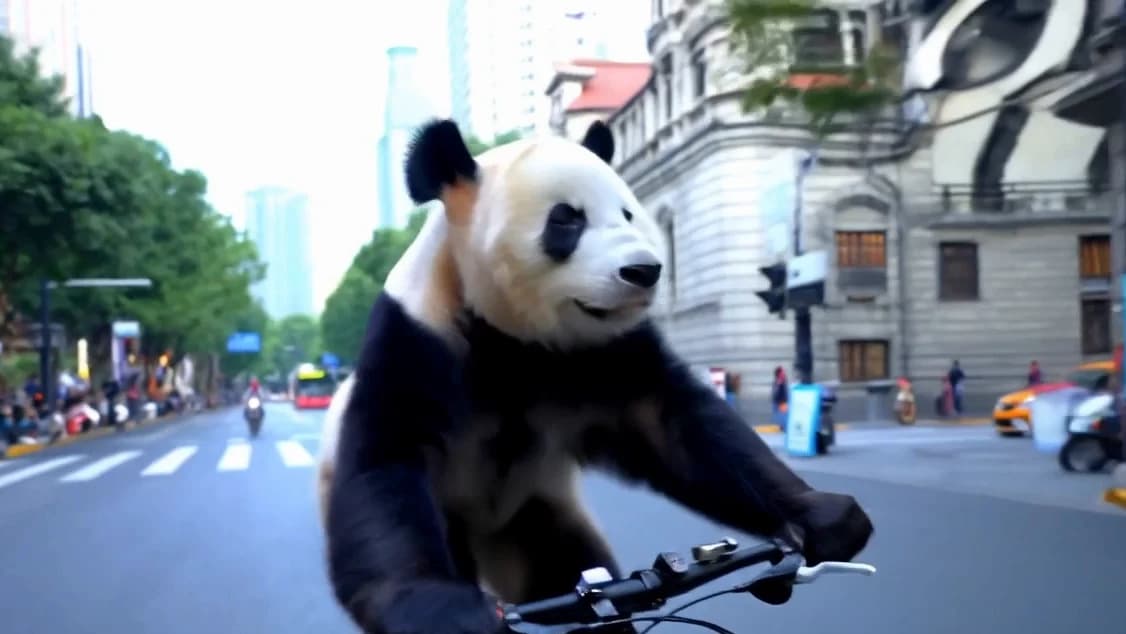
| Animals mode: cats, a shiba, an alpaca and a panda all follow one driving face (cropped out here). | A white cat. |
| A corgi. | A British shorthair. |
Video in, video out
| Portrait video editing (v2v): the dance stays, the face takes the driving expressions. The driver's eyes are blacked out in the original. | A baby video, re-acted: new blinks and mouth moves come from the driving clip. |
More results, including side-by-side comparisons with other methods, are on the project page.
Animals mode for cats and dogs
A separate Animals model is fine-tuned on about 230K frames of animals, mostly cats and dogs. The v1.1 update in January 2025 added more data: dogs got the bigger gain, and the model is now better at recognizing their mouths instead of mistaking them for noses. Animals mode uses X-Pose to find keypoints, and it is only tested on Linux and Windows with an NVIDIA GPU.
The README's Animals demo: the cat photo, and the same cat winking.
The README's command for it (the wink comes from a saved motion template):python inference_animals.py -s assets/examples/source/s39.jpg -d assets/examples/driving/wink.pkl --driving_multiplier 1.75 --no_flag_stitching
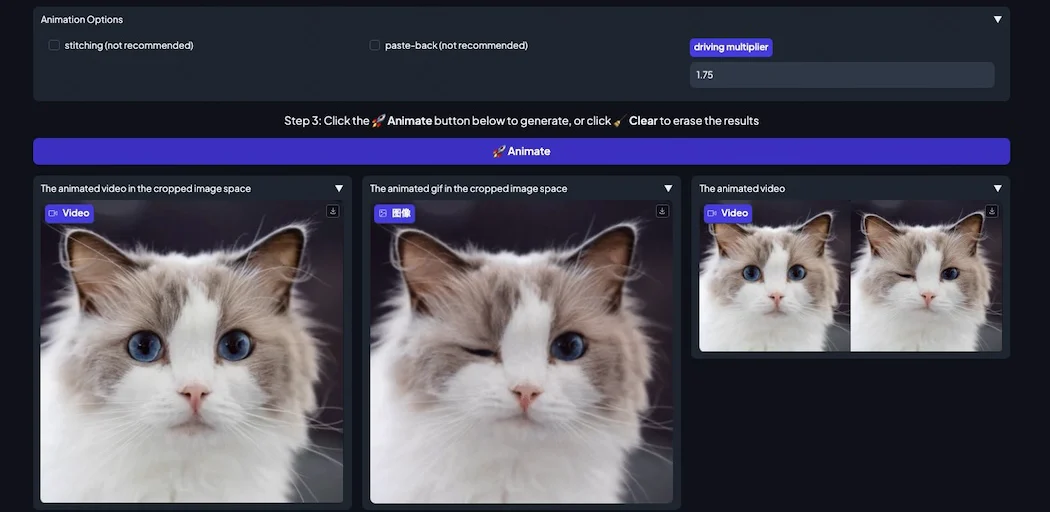
The Animals mode app (python app_animals.py): stitching off, driving multiplier 1.75, and the cat winking in the results.
Fix the eyes and lips: retargeting
Retargeting is in the paper's title: *Efficient Portrait Animation with Stitching and Retargeting Control*. In the app's Retargeting Video panel you set a target lip-open ratio for a source video, and 0 closes the mouth. A keeping the lip silent option gives the lips a neutral expression; the authors note it may cause jitter between frames.
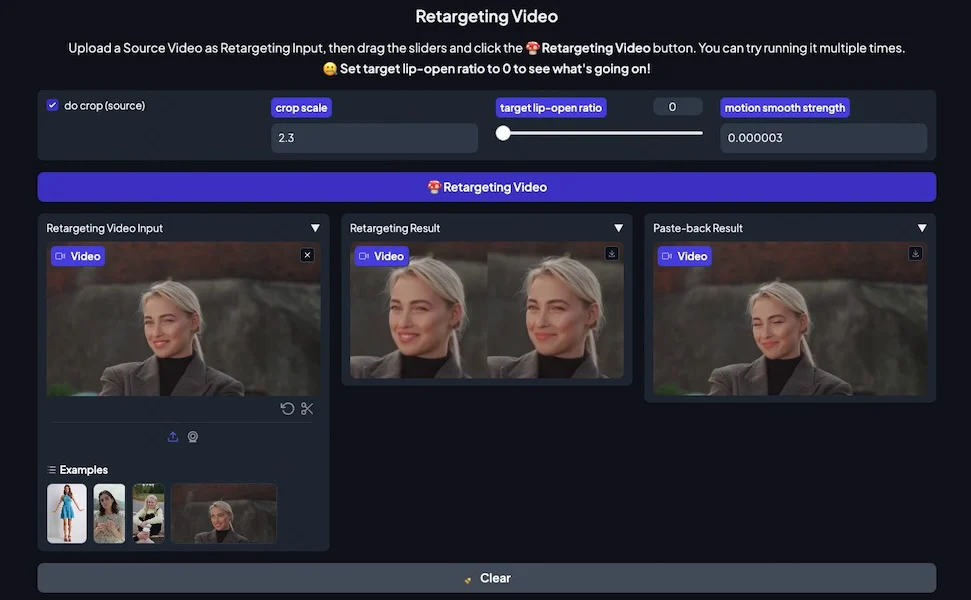
Retargeting Video in the app: the source video, the retargeted result and the pasted-back result side by side.
Edit a still face with sliders
You do not always need a driving video. In the app, the relative pitch, relative yaw and relative roll sliders turn the head of the source portrait. Since August 2024 the app also has precise portrait editing for expressions: with each adjustment of the slider, the edited image updates in real-time.
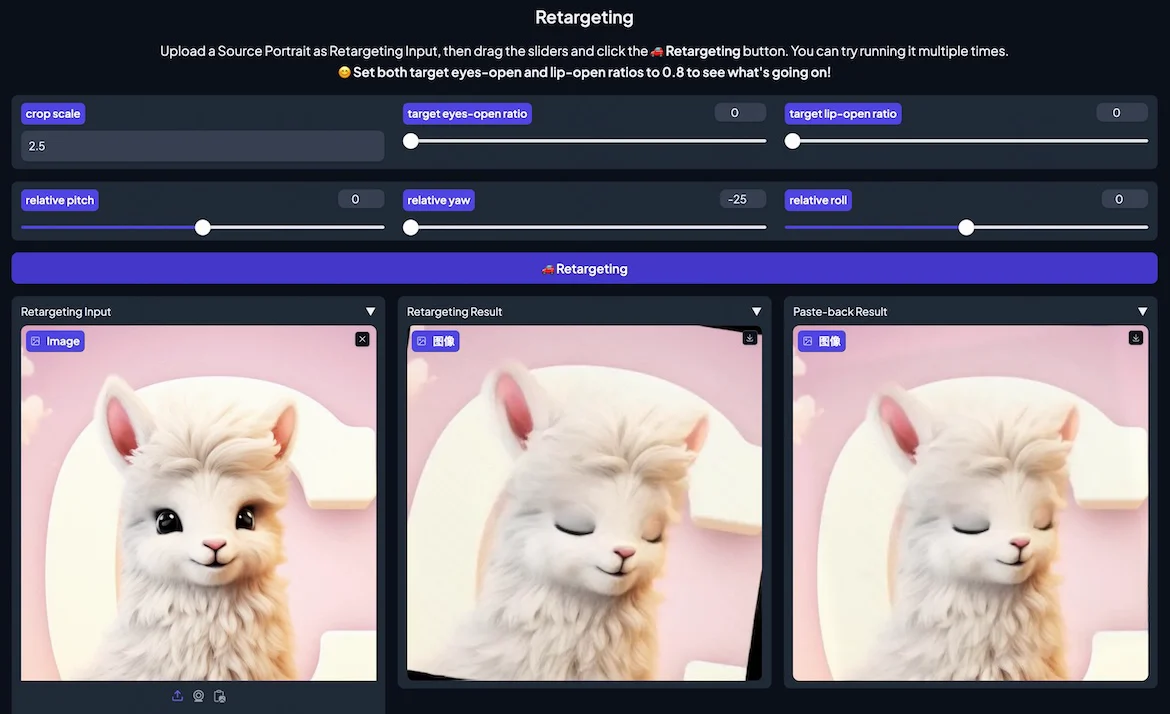
The Retargeting panel: target eyes-open ratio 0 and relative yaw -25 close the alpaca's eyes and turn its head.
Drive with a photo, or only the lips
The driving signal can also be a single image. If both source and driving inputs are images, the output is an image too. Regional control picks what gets driven: exp, pose, lip, eyes or all.
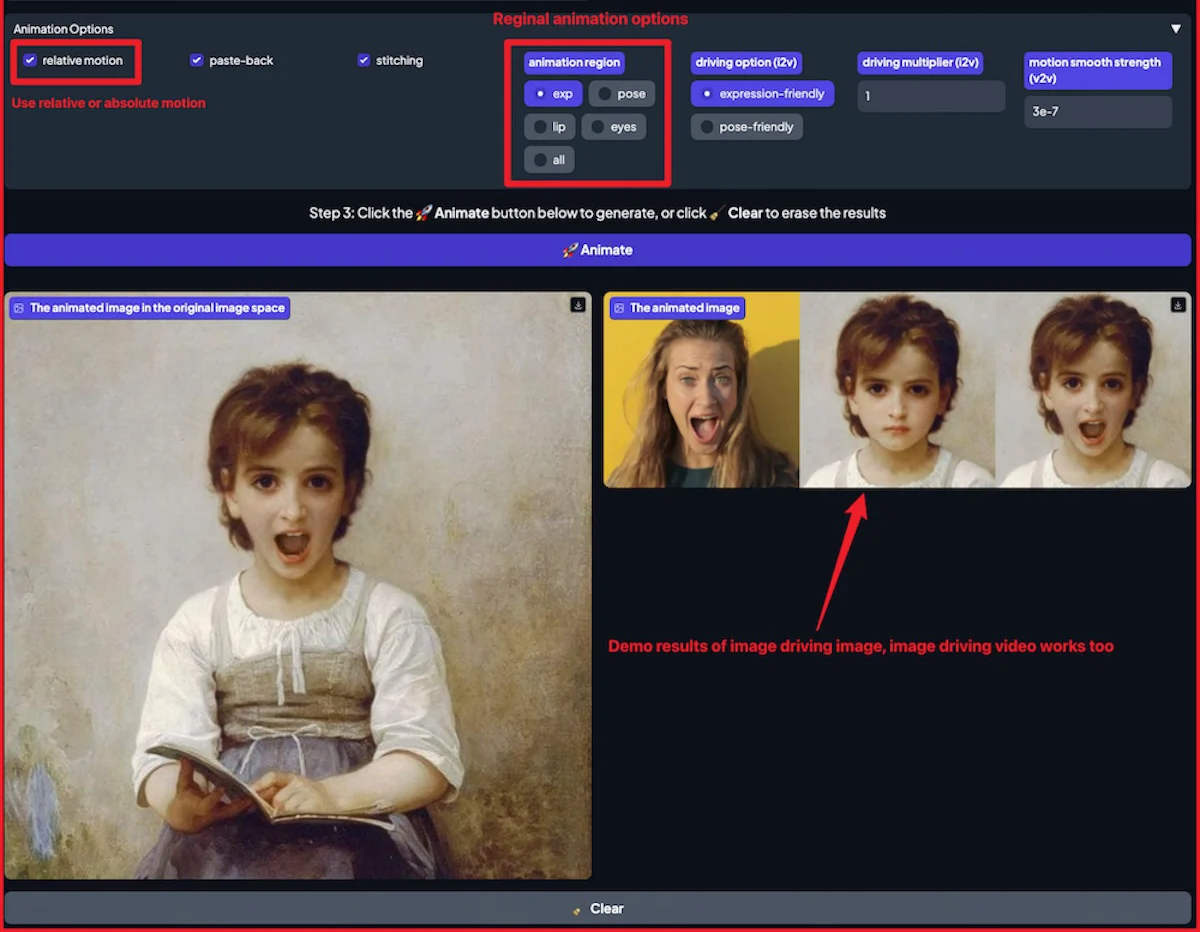
Image-driven animation in the app: the regional options (exp, pose, lip, eyes, all), then one photo of a shouting face driving a painted girl.
Drive only the lip region, from the release notes:python inference.py -s assets/examples/source/s5.jpg -d assets/examples/driving/d0.mp4 --animation_region lip
Film a driving video that works
The result is only as good as the face that drives it. The README's advice for your own driving video, plus a note on sound from the July 2024 release notes:
- Crop it to 1:1: for example 512x512 or 256x256, or let LivePortrait do it with
--flag_crop_driving_video. - Frame the head: like the example videos, and keep shoulder movement small.
- Start neutral: the first frame should be a frontal face with a neutral expression.
- Keep the sound: if the driving video has audio, it is added to the result, at the driving video's FPS.
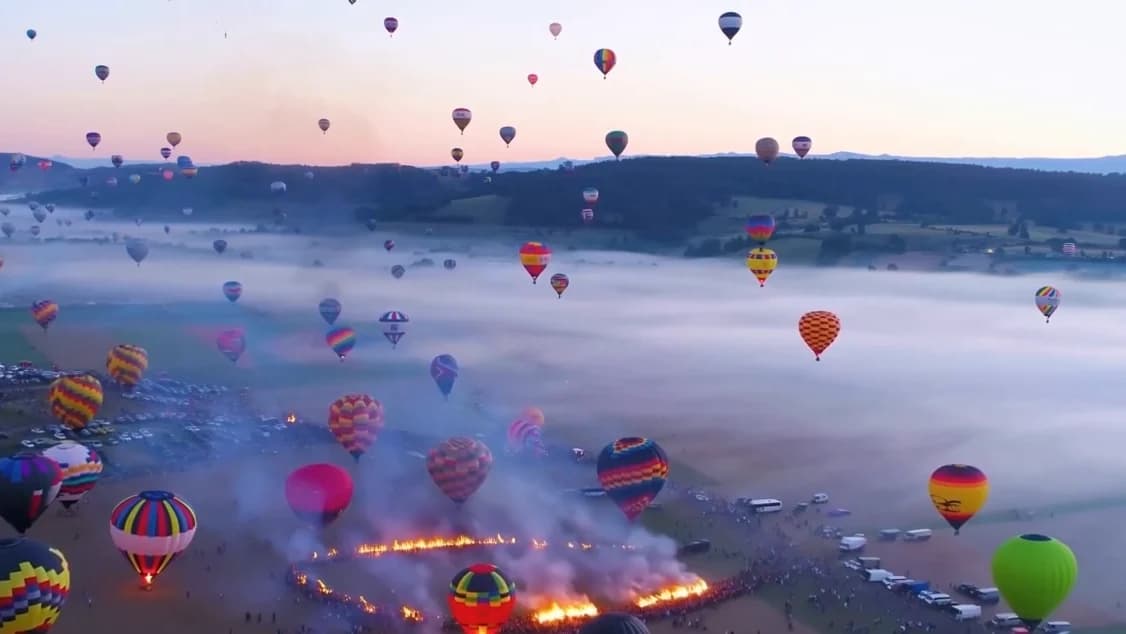
d0.mp4, the README's default driving video: frontal, neutral at the start, head and shoulders only.
Want to share a motion without sharing a face? Each driving video is saved as a .pkl motion template that only contains the motions. The authors write that it is theoretically impossible to reconstruct the original face from it, and you can pass it with -d instead of the video.
Quick start
First get the code and a Python 3.10 environment: git clone https://github.com/KlingTeam/LivePortrait, then cd LivePortrait, conda create -n LivePortrait python=3.10 and conda activate LivePortrait. Then run the command under Get it, above. On macOS with Apple Silicon use pip install -r requirements_macOS.txt instead, and run with PYTORCH_ENABLE_MPS_FALLBACK=1 python inference.py. On Windows you can skip all of this with the one-click installer: unzip it and double-click run_windows.bat. Just want to try it? Use the online demo.
Download the weights, then animate the built-in example or open the app:huggingface-cli download KlingTeam/LivePortrait --local-dir pretrained_weights --exclude "*.git*" "README.md" "docs"python inference.pypython app.py # humans mode
Pick your own source with -s and driving video with -d:python inference.py -s assets/examples/source/s9.jpg -d assets/examples/driving/d0.mp4
Requirements and license
- git, conda and FFmpeg: installed before you start.
- An NVIDIA GPU: on Linux or Windows. Animals mode is only tested there, and needs one extra op built first.
- Or a Mac with Apple Silicon: Humans mode works, Animals mode does not, and it may be 20x slower than an RTX 4090.
- The model weights: from HuggingFace (or Google Drive / Baidu Yun), placed in
pretrained_weights.
The LivePortrait code is under the MIT License. Two parts it relies on are not free for business: the InsightFace models are for non-commercial research purposes only, and X-Pose, used by Animals mode, is only for non-commercial scientific research. For commercial use, the license file says to remove and replace InsightFace's detection models, and the Animals notes say the same for X-Pose. The authors also warn that portrait animation can be misused to create deepfakes, and they take no legal responsibility for what you generate.
No GPU? Animate your character in ReelMe
LivePortrait runs on your own machine and works on faces. For whole-body moves in the browser, open Motion Control in ReelMe Video (reelme.ai/video?tab=motion): add a motion video and a character image, and it copies the person's moves onto your character. To bring one picture to life from a text prompt instead, use Image to Video.
Credits
Media: LivePortrait by Jianzhu Guo, Dingyun Zhang, Xiaoqiang Liu, Zhizhou Zhong, Yuan Zhang, Pengfei Wan and Di Zhang (Kuaishou Technology), MIT-licensed code. The showcase GIF, demo GIF, example images and app screenshots come from the LivePortrait repo; the result clips come from the project page. Clips are re-encoded, shortened, silent and some are cropped to the result row; GIFs are converted to video.